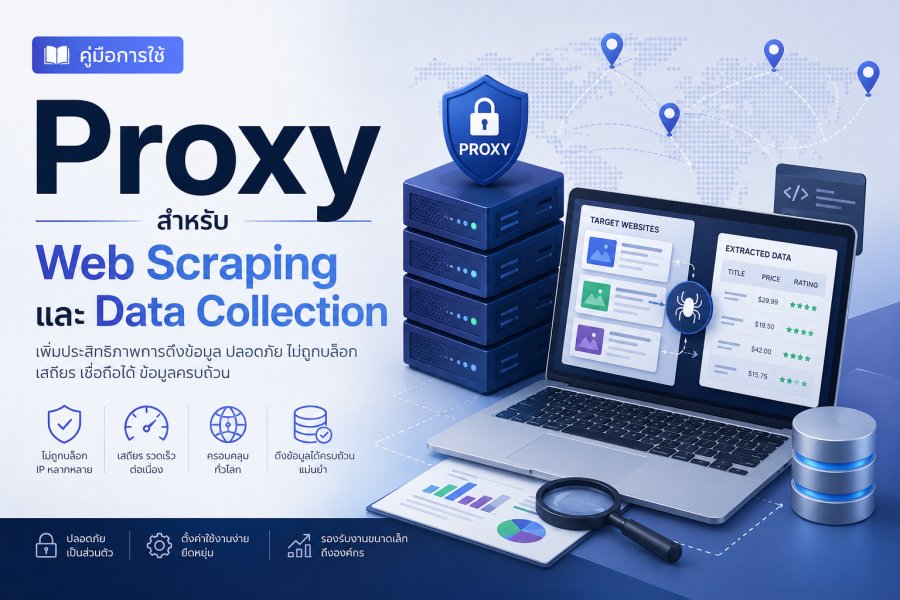
Web Scraping คืออะไร และทำไมต้องใช้ Proxy?
Web Scraping คือกระบวนการดึงข้อมูลจากเว็บไซต์อัตโนมัติ เพื่อนำมาวิเคราะห์ ประมวลผล หรือใช้ในธุรกิจ ไม่ว่าจะเป็นการเก็บราคาสินค้า ข้อมูลคู่แข่ง รีวิวลูกค้า หรือข้อมูลตลาด แต่ปัญหาคือเว็บไซต์ส่วนใหญ่มีระบบป้องกัน Bot ที่จะบล็อก IP ที่ส่ง Request มากเกินไป
การใช้ Proxy จะช่วยให้คุณสามารถ Scrape ข้อมูลได้อย่างต่อเนื่องโดยไม่ถูกบล็อก เพราะคุณสามารถหมุนเวียน IP Address และทำให้ดูเหมือนเป็น Request จากผู้ใช้หลายคน บทความนี้จะพาคุณไปรู้จักกับเทคนิคการใช้ Proxy สำหรับ Web Scraping แบบมืออาชีพ
ปัญหาที่พบบ่อยเมื่อ Scrape ข้อมูล
- IP Ban: IP Address ถูกบล็อกเพราะส่ง Request มากเกินไป
- Rate Limiting: ถูกจำกัดจำนวน Request ต่อนาที
- CAPTCHA: ต้องยืนยันตัวตนบ่อยครั้ง
- Geo-Blocking: เนื้อหาถูกจำกัดตามภูมิภาค
- Bot Detection: เว็บไซต์ตรวจจับว่าเป็น Bot
- Honeypot Traps: ลิงก์ดักจับ Bot
- JavaScript Challenges: ต้อง Render JavaScript
ประโยชน์ของการใช้ Proxy สำหรับ Web Scraping
- หลีกเลี่ยงการถูกบล็อก: หมุนเวียน IP เพื่อดูเหมือนผู้ใช้หลายคน
- เพิ่มความเร็ว: ใช้หลาย Proxy พร้อมกันเพื่อ Scrape แบบ Parallel
- Bypass Geo-Restrictions: เข้าถึงเนื้อหาจากทุกประเทศ
- ความน่าเชื่อถือ: Residential Proxy ดูเหมือนผู้ใช้จริง
- Scale Up: Scrape ข้อมูลจำนวนมากได้
- Competitive Intelligence: เก็บข้อมูลคู่แข่งโดยไม่ถูกตรวจจับ
ประเภทของ Proxy สำหรับ Web Scraping
1. Datacenter Proxy
ข้อดี:
- ราคาถูกที่สุด ($1-5 ต่อ IP/เดือน)
- ความเร็วสูงมาก (100-1000 Mbps)
- มี IP เยอะ (Millions)
- เหมาะสำหรับ Scraping ทั่วไป
ข้อเสีย:
- ถูกตรวจจับและบล็อกง่าย
- Success Rate ต่ำกว่า (50-70%)
- ไม่เหมาะสำหรับเว็บที่มี Anti-Bot สูง
เหมาะสำหรับ:
- เว็บไซต์ทั่วไป
- Public APIs
- เว็บที่ไม่มี Anti-Bot
2. Residential Proxy (แนะนำสูงสุด)
ข้อดี:
- IP จาก ISP จริง ดูเหมือนผู้ใช้ทั่วไป
- Success Rate สูง (95-99%)
- ยากต่อการตรวจจับและบล็อก
- เหมาะสำหรับเว็บที่มี Anti-Bot
ข้อเสีย:
- ราคาแพง ($5-15 ต่อ GB)
- ความเร็วช้ากว่า Datacenter
- IP Pool จำกัดกว่า
เหมาะสำหรับ:
- E-commerce (Amazon, eBay, Shopify)
- Social Media
- Travel Sites (Booking, Expedia)
- Sneaker Sites
3. Mobile Proxy
ข้อดี:
- IP จากเครือข่ายมือถือ (4G/5G)
- Success Rate สูงที่สุด (99%+)
- เหมาะสำหรับ Mobile Apps
ข้อเสีย:
- ราคาแพงที่สุด ($50-300 ต่อ IP/เดือน)
- ความเร็วช้า
- IP จำกัด
เหมาะสำหรับ:
- Instagram, TikTok
- Mobile Apps
- SMS Verification
4. ISP Proxy (Static Residential)
ข้อดี:
- IP จาก ISP แต่ Static (ไม่เปลี่ยน)
- ความเร็วสูงเท่า Datacenter
- ความน่าเชื่อถือเท่า Residential
- ราคาปานกลาง ($30-80 ต่อ IP/เดือน)
เหมาะสำหรับ:
- Long-term Scraping
- Account Management
- SEO Monitoring
เครื่องมือและ Libraries สำหรับ Web Scraping
Python
1. Requests + BeautifulSoup
เหมาะสำหรับ Static Websites:
import requests
from bs4 import BeautifulSoup

# ตั้งค่า Proxy
proxies = {
    'http': 'http://username:password@103.123.45.67:8080',
    'https': 'http://username:password@103.123.45.67:8080'
}

# ส่ง Request ผ่าน Proxy
response = requests.get('https://example.com', proxies=proxies)

# Parse HTML
soup = BeautifulSoup(response.content, 'html.parser')

# ดึงข้อมูล
titles = soup.find_all('h2', class_='product-title')
for title in titles:
    print(title.text)
2. Scrapy (Framework สำหรับ Scraping)
เหมาะสำหรับ Large-scale Scraping:
# settings.py
DOWNLOADER_MIDDLEWARES = {
    'scrapy.downloadermiddlewares.httpproxy.HttpProxyMiddleware': 1,
}

# ตั้งค่า Proxy Rotation
ROTATING_PROXY_LIST = [
    'http://103.123.45.67:8080',
    'http://103.123.45.68:8080',
    'http://103.123.45.69:8080',
]

# spider.py
import scrapy

class ProductSpider(scrapy.Spider):
    name = 'products'

    def start_requests(self):
        urls = ['https://example.com/products']
        for url in urls:
            yield scrapy.Request(
                url=url,
                callback=self.parse,
                meta={'proxy': 'http://103.123.45.67:8080'}
            )

    def parse(self, response):
        for product in response.css('div.product'):
            yield {
                'name': product.css('h2::text').get(),
                'price': product.css('span.price::text').get(),
            }
3. Selenium (สำหรับ Dynamic Websites)
เหมาะสำหรับเว็บที่ใช้ JavaScript:
from selenium import webdriver
from selenium.webdriver.chrome.options import Options

# ตั้งค่า Proxy
chrome_options = Options()
chrome_options.add_argument('--proxy-server=http://103.123.45.67:8080')

# สำหรับ Authentication
chrome_options.add_extension('proxy-auth-extension.zip')

# เปิด Browser
driver = webdriver.Chrome(options=chrome_options)

# เข้าเว็บ
driver.get('https://example.com')

# ดึงข้อมูล
products = driver.find_elements_by_class_name('product')
for product in products:
    print(product.text)

driver.quit()
4. Playwright (ทางเลือกของ Selenium)
from playwright.sync_api import sync_playwright

with sync_playwright() as p:
    browser = p.chromium.launch(
        proxy={
            "server": "http://103.123.45.67:8080",
            "username": "user",
            "password": "pass"
        }
    )

    page = browser.new_page()
    page.goto('https://example.com')

    # ดึงข้อมูล
    products = page.query_selector_all('.product')
    for product in products:
        print(product.inner_text())

    browser.close()
Node.js
Puppeteer
const puppeteer = require('puppeteer');

(async () => {
  const browser = await puppeteer.launch({
    args: [
      '--proxy-server=http://103.123.45.67:8080'
    ]
  });

  const page = await browser.newPage();

  // Authentication
  await page.authenticate({
    username: 'user',
    password: 'pass'
  });

  await page.goto('https://example.com');

  // ดึงข้อมูล
  const products = await page.$$eval('.product', elements =>
    elements.map(el => ({
      name: el.querySelector('h2').textContent,
      price: el.querySelector('.price').textContent
    }))
  );

  console.log(products);

  await browser.close();
})();
Proxy Rotation Strategies
1. Round Robin
หมุนเวียน Proxy ตามลำดับ:
import requests
from itertools import cycle

proxy_pool = [
    'http://103.123.45.67:8080',
    'http://103.123.45.68:8080',
    'http://103.123.45.69:8080',
]

proxy_cycle = cycle(proxy_pool)

for url in urls:
    proxy = next(proxy_cycle)
    response = requests.get(url, proxies={'http': proxy, 'https': proxy})
    # Process response
2. Random Selection
สุ่มเลือก Proxy:
import random

proxy = random.choice(proxy_pool)
response = requests.get(url, proxies={'http': proxy, 'https': proxy})
3. Smart Rotation (ตาม Success Rate)
class SmartProxyRotator:
    def __init__(self, proxies):
        self.proxies = {p: {'success': 0, 'fail': 0} for p in proxies}

    def get_proxy(self):
        # เลือก Proxy ที่มี Success Rate สูงสุด
        best_proxy = max(
            self.proxies.items(),
            key=lambda x: x[1]['success'] / (x[1]['success'] + x[1]['fail'] + 1)
        )[0]
        return best_proxy

    def report_success(self, proxy):
        self.proxies[proxy]['success'] += 1

    def report_failure(self, proxy):
        self.proxies[proxy]['fail'] += 1

# ใช้งาน
rotator = SmartProxyRotator(proxy_pool)

for url in urls:
    proxy = rotator.get_proxy()
    try:
        response = requests.get(url, proxies={'http': proxy}, timeout=10)
        rotator.report_success(proxy)
    except:
        rotator.report_failure(proxy)
4. Session-based Rotation
ใช้ Proxy เดิมสำหรับ Session เดียวกัน:
import requests

session = requests.Session()
session.proxies = {
    'http': 'http://103.123.45.67:8080',
    'https': 'http://103.123.45.67:8080'
}

# ใช้ Proxy เดิมสำหรับทุก Request ใน Session
response1 = session.get('https://example.com/page1')
response2 = session.get('https://example.com/page2')
การจัดการ CAPTCHA
1. หลีกเลี่ยง CAPTCHA
- ใช้ Residential Proxy
- ลด Request Rate
- เพิ่ม Delays แบบ Random
- ใช้ Real Browser (Selenium/Playwright)
- Rotate User-Agents
- Mimic Human Behavior
2. CAPTCHA Solving Services
ถ้าหลีกเลี่ยงไม่ได้ ใช้บริการแก้ CAPTCHA:
2Captcha
from twocaptcha import TwoCaptcha

solver = TwoCaptcha('YOUR_API_KEY')

result = solver.recaptcha(
    sitekey='6Le-wvkSAAAAAPBMRTvw0Q4Muexq9bi0DJwx_mJ-',
    url='https://example.com'
)

# ใช้ result['code'] เพื่อส่ง Form
Anti-Captcha
from anticaptchaofficial.recaptchav2proxyless import *

solver = recaptchaV2Proxyless()
solver.set_key("YOUR_API_KEY")
solver.set_website_url("https://example.com")
solver.set_website_key("6Le-wvkSAAAAAPBMRTvw0Q4Muexq9bi0DJwx_mJ-")

g_response = solver.solve_and_return_solution()
print(g_response)
Best Practices สำหรับ Web Scraping
1. Respect robots.txt
from urllib.robotparser import RobotFileParser

rp = RobotFileParser()
rp.set_url("https://example.com/robots.txt")
rp.read()

if rp.can_fetch("*", "https://example.com/products"):
    # OK to scrape
    pass
2. Rate Limiting
import time
import random

for url in urls:
    response = requests.get(url, proxies=proxies)
    # Random delay 1-5 seconds
    time.sleep(random.uniform(1, 5))
3. User-Agent Rotation
user_agents = [
    'Mozilla/5.0 (Windows NT 10.0; Win64; x64) AppleWebKit/537.36',
    'Mozilla/5.0 (Macintosh; Intel Mac OS X 10_15_7) AppleWebKit/537.36',
    'Mozilla/5.0 (X11; Linux x86_64) AppleWebKit/537.36',
]

headers = {
    'User-Agent': random.choice(user_agents)
}

response = requests.get(url, headers=headers, proxies=proxies)
4. Error Handling และ Retry
from requests.adapters import HTTPAdapter
from requests.packages.urllib3.util.retry import Retry

session = requests.Session()
retry = Retry(
    total=3,
    backoff_factor=1,
    status_forcelist=[429, 500, 502, 503, 504]
)
adapter = HTTPAdapter(max_retries=retry)
session.mount('http://', adapter)
session.mount('https://', adapter)

try:
    response = session.get(url, proxies=proxies, timeout=10)
except requests.exceptions.RequestException as e:
    print(f"Error: {e}")
5. Data Validation
def validate_product(product):
    required_fields = ['name', 'price', 'url']
    return all(field in product and product[field] for field in required_fields)

# ใช้งาน
if validate_product(scraped_data):
    save_to_database(scraped_data)
else:
    log_error("Invalid data")
การจัดการข้อมูลที่ Scrape ได้
1. บันทึกเป็น CSV
import csv

with open('products.csv', 'w', newline='', encoding='utf-8') as f:
    writer = csv.DictWriter(f, fieldnames=['name', 'price', 'url'])
    writer.writeheader()
    writer.writerows(products)
2. บันทึกเป็น JSON
import json

with open('products.json', 'w', encoding='utf-8') as f:
    json.dump(products, f, ensure_ascii=False, indent=2)
3. บันทึกลง Database
import sqlite3

conn = sqlite3.connect('products.db')
cursor = conn.cursor()

cursor.execute('''
    CREATE TABLE IF NOT EXISTS products (
        id INTEGER PRIMARY KEY,
        name TEXT,
        price REAL,
        url TEXT
    )
''')

for product in products:
    cursor.execute(
        'INSERT INTO products (name, price, url) VALUES (?, ?, ?)',
        (product['name'], product['price'], product['url'])
    )

conn.commit()
conn.close()
Proxy Providers สำหรับ Web Scraping
| Provider | Type | ราคา | IP Pool | เหมาะสำหรับ |
|---|---|---|---|---|
| Bright Data | Residential | $500+/month | 72M+ | Enterprise |
| Smartproxy | Residential | $75+/month | 40M+ | SMB |
| Oxylabs | Residential | $300+/month | 100M+ | Enterprise |
| Proxy-Seller | All Types | $50+/month | Custom | Budget |
| ScraperAPI | API Service | $29+/month | Managed | Easy Setup |
การแก้ปัญหาที่พบบ่อย
1. Proxy ถูกบล็อก
วิธีแก้:
- เปลี่ยนเป็น Residential Proxy
- Rotate Proxies บ่อยขึ้น
- ลด Request Rate
- เพิ่ม Random Delays
2. ข้อมูลไม่ครบ
วิธีแก้:
- ใช้ Selenium/Playwright สำหรับ Dynamic Content
- รอให้ JavaScript Load เสร็จ
- ตรวจสอบ Network Requests
3. Scraping ช้า
วิธีแก้:
- ใช้ Async/Concurrent Requests
- เพิ่มจำนวน Proxies
- ใช้ Datacenter Proxy สำหรับเว็บที่ไม่เข้มงวด
สรุป
การใช้ Proxy สำหรับ Web Scraping เป็นสิ่งจำเป็นสำหรับการเก็บข้อมูลขนาดใหญ่อย่างมีประสิทธิภาพ การเลือกใช้ Proxy ที่เหมาะสม ไม่ว่าจะเป็น Datacenter, Residential หรือ Mobile Proxy ขึ้นอยู่กับเว็บไซต์เป้าหมายและงบประมาณของคุณ
สิ่งสำคัญคือต้องปฏิบัติตาม Best Practices เช่น การ Rotate Proxies, Rate Limiting, และการจัดการ Errors อย่างถูกต้อง เพื่อให้ Scraping ประสบความสำเร็จและไม่ถูกบล็อก
หากคุณกำลังมองหาบริการ Proxy คุณภาพสูงสำหรับ Web Scraping ดูแพ็คเกจของเราได้ที่นี่ เรามี Residential และ Datacenter Proxy พร้อม API ที่ใช้งานง่าย หรือ ติดต่อทีมงานเพื่อขอคำปรึกษา

แสดงความคิดเห็น
ความคิดเห็น (0)
ยังไม่มีความคิดเห็น — เป็นคนแรกที่แสดงความคิดเห็น